
 Twitter
 Facebook
 YouTube
 Blog
BlogNetScanTools Pro System Info - SMB Tool Description
This tool can remotely enumerate resources such as User Lists, Account Info, Group Info, Password Policies, LSA Policies, System Time, network shared files, printers and open files shared by Windows through the SMB/CIFS or NetBIOS protocol. Due to tightening security policies, you will most likely be required to login to obtain many of these resources.
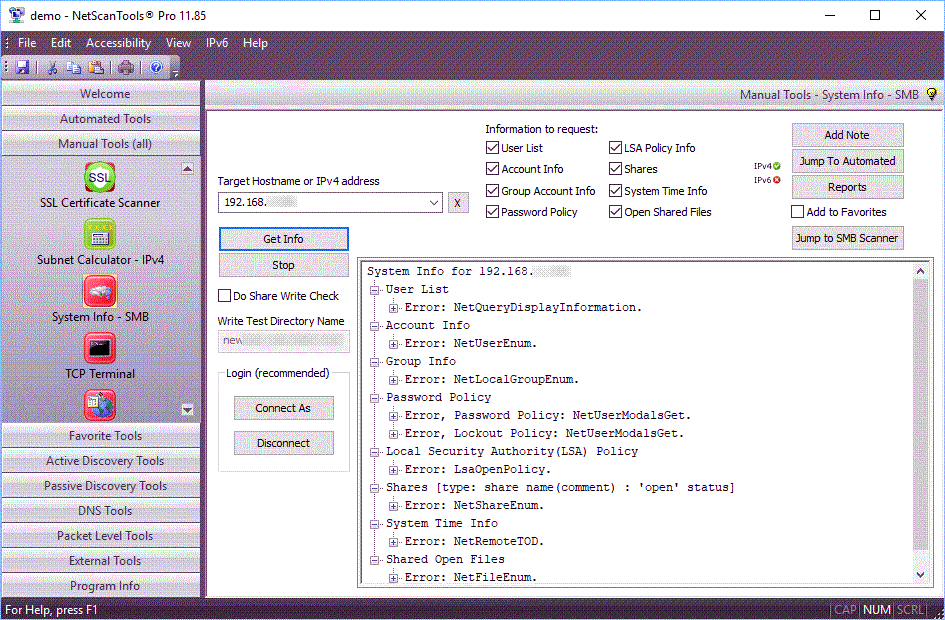
The first image shows a secure response from a server -
ie. no data is released to you.
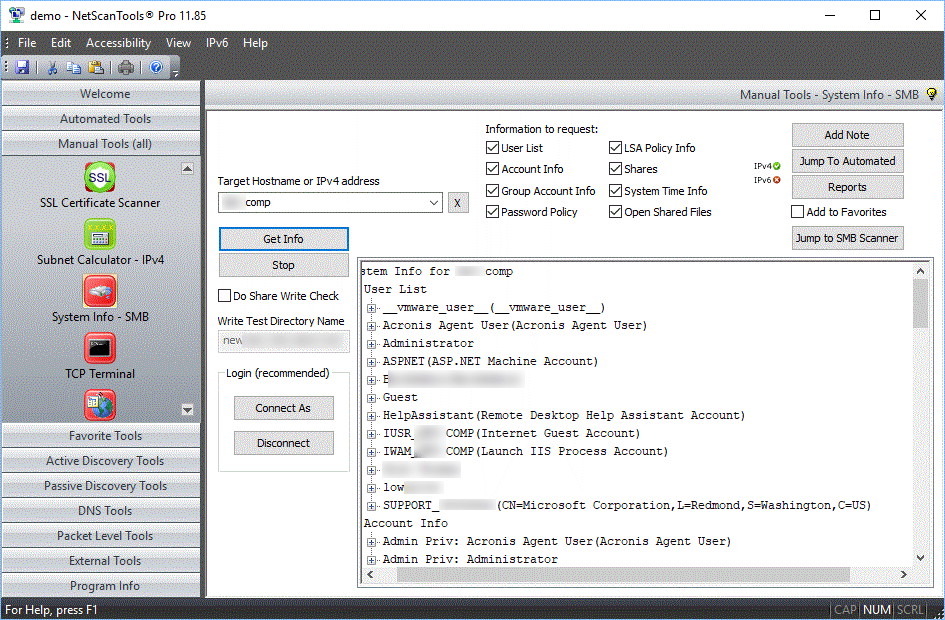
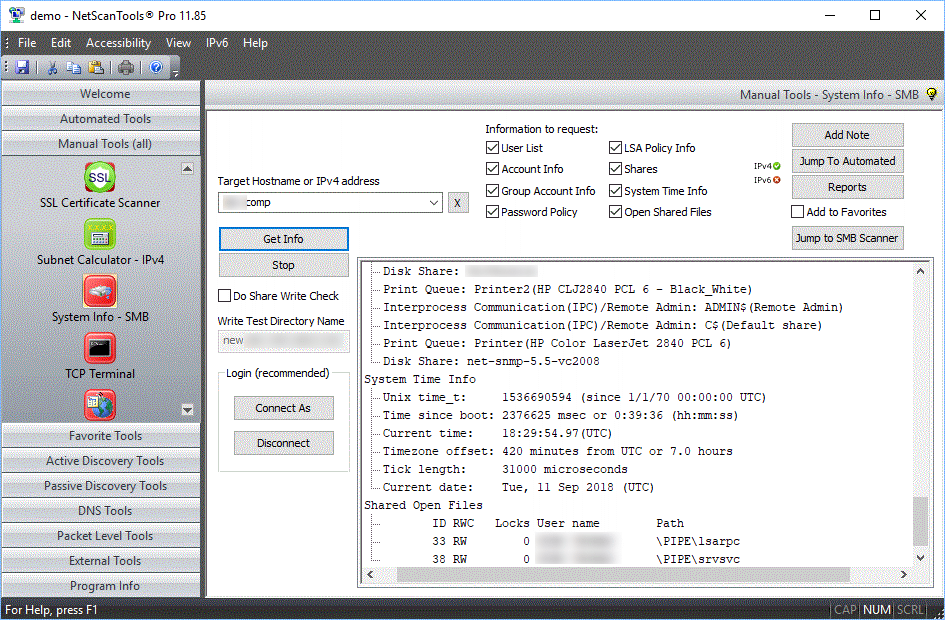
The next two screenshots
show a query made to a Windows XP system showing account
information and shares, local time and open files response.
The target must
be a Windows 10/8.x,7/Vista/XP/2016/2012/2008/2003/2000/NT4 operating system. The option
for network login/logoff is required by anything newer than
XP to assure you have the right to retrieve the data.
The information that can be gathered may include:
- User List including description, user ID, account enable/disable status, password expiration status and account type.
- Account Info including privilege level, comments, logon server, last login/logoff, account expiration status, successful login count, password expiration status and account type.
- Group Info with the usernames sorted by the privilege group they belong to, ie. a list of all accounts with admin, guest, power users, users, backup operators, etc. privileges.
- Password Policy on a global level. This shows the minimum length, age, max age, lockout threshold and duration.
- LSA Policy Info shows the netbios computer name (Windows name not DNS), Windows domain, quota and a list of trusted domains.
- Shares shows the list of shares similar to what is obtained from the NetBIOS Info Shares/System Basics display, however, this tool allows you to contact targets outside the reach of the local LAN.
- Shares can be optionally tested to see if those shares are writable or 'open shares' which would indicate a vulnerability to worms and other malware.
- System Time Info shows the target's unix time since 1/1/70, time since boot, current time (UTC), timezone offset, operating system tick length and the current date as represented by the target system.
- Shared Open Files is a list of the files that are currently being shared and used by other computers.
Screenshots three responses


NetScanTools is a registered trademark of Northwest Performance Software, Inc.
'NetScanTools Pro', 'NetScanTools Standard', 'ipPulse', 'Northwest Performance Software' and 'NetScanTools.com', are trademarks of Northwest Performance Software, Inc.
Any trademarked names mentioned herein are the property of their respective owners.
About Us
Email Us
Call Us
Help & Support Center
NetScanTools® Pro Topics
© 2024 Northwest Performance Software, Inc. All Rights Reserved. | Privacy Policy