
 Twitter
 Facebook
 YouTube
 Blog
BlogPurpose of TCP mode in the Packet Generator Tool
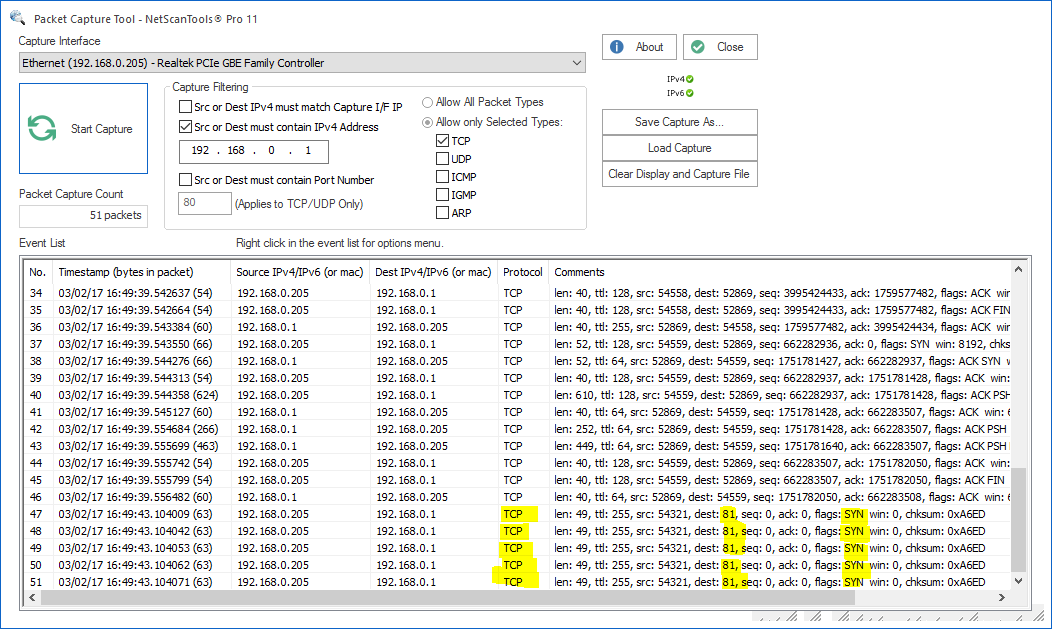
The purpose of this tool is to give you a way to craft a TCP packet or set of TCP packets to send to a target, then observe the target's response with a packet capturing tool likePacket Capture or view the results of those packet attacks in the log files on the target. For example, you might alter a TCP SYN packet with information that is not usually found in the packet in order to see the response of a web server to the malformed packet.About crafting and sending TCP packets using the Packet Generator
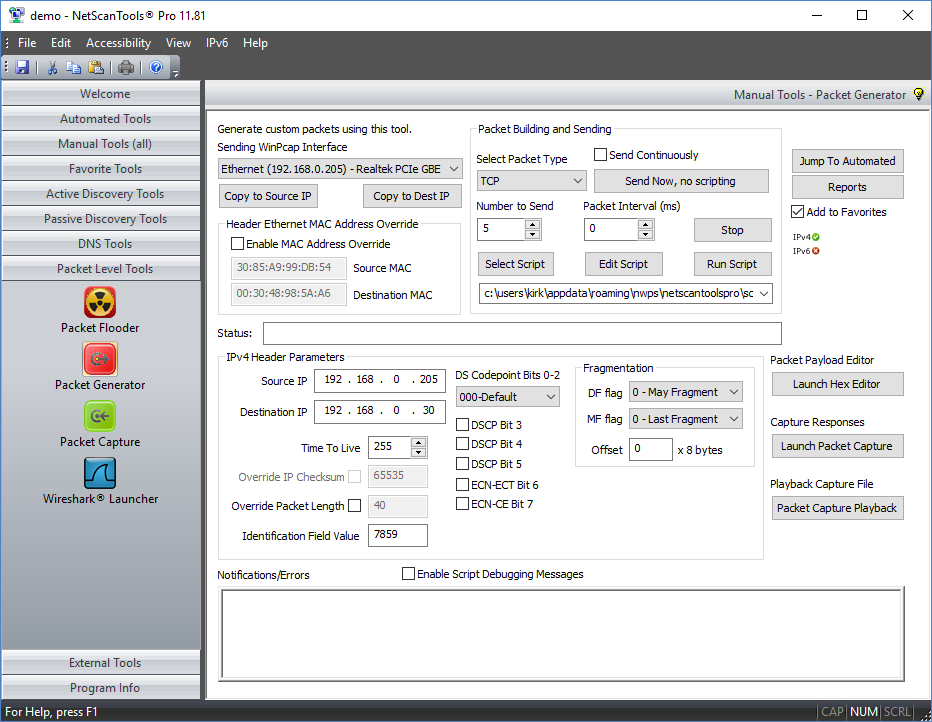
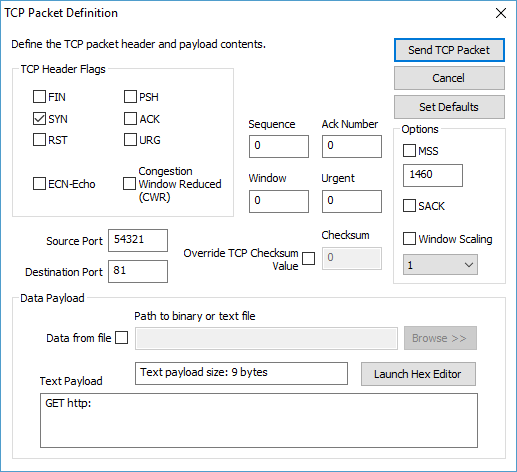
The Packet Generator tool has a TCP mode that allows you to create and send one or more TCP packets to a target. You have full control over the header flags and the other fields within the TCP header. You can add a payload either in the form of text or of a file to the packet. This tool currently sends packets with IPv4 headers. IPv6 will be coming soon.
Scripted packet transmission can be used to send multiple different TCP packets.
Related Tool Links
Packet Generator
Important Notes about the Packet Generator
- This tool uses WinPcap to send packets. The network interface you use to send packets must be compatible with WinPcap. Best results are usually obtained from a wired ethernet interface or a 802.11 wireless interface.
- This tool does not send packets at a rate necessary to stress or otherwise saturate an interface. It is not a high speed Traffic Generator and it does not respond to packets coming back. Please consider the Packet Flooder Tool.
Packet Generator Tool Capabilities - TCP Mode
- Sends TCP Packets to the IPv4 address specified.
- Full header control for the TCP packet. You can specify most parameters in the header such as source and destination IPv4 address, packet length, packet types, flags and checksums. The ethernet source and destination address can also be defined.
- Data Payloads can be added. The payload can be simple text or a file of your choosing. The length of the data payload is limited by the interface MTU and the packet type. We provide a Hex Editor to assist in creating or editing binary packet payloads.
- The packet size is limited to the MTU of your network, typically 1460 bytes for ethernet.
- Scripting. Simple scripting is provided so that you can send different types packets. Scripted packet transmission can be used to send packets with parameters changing according to your script.
TCP Send Mode
Capture of what was sent
A video of the Packet Generator tool sending TCP Packets
Try the NetScanTools Pro demo free for 30 days
DEMO Version End User License Agreement (EULA)How to Uninstall


NetScanTools is a registered trademark of Northwest Performance Software, Inc.
'NetScanTools Pro', 'NetScanTools Standard', 'ipPulse', 'Northwest Performance Software' and 'NetScanTools.com', are trademarks of Northwest Performance Software, Inc.
Any trademarked names mentioned herein are the property of their respective owners.
About Us
Email Us
Call Us
Help & Support Center
NetScanTools® Pro Topics
© 2025 Northwest Performance Software, Inc. All Rights Reserved. | Privacy Policy